1
Open this page on your Android phone
Tap the download button below. Your phone may ask if you are sure you want to download the APK. Choose the option to keep or download the file.
It will be there soon. For now, you are welcome to test our Android app. We understand if you would rather wait for the Google Play release. If you're feeling adventurous, follow the steps below to install the test APK.
Android gives extra warnings for apps installed outside Google Play. That is normal for test apps. Only install this APK if you trust the Jillybean link you received.
Apple app coming soon.
The exact words can vary a little by Android phone, browser, and version.
Tap the download button below. Your phone may ask if you are sure you want to download the APK. Choose the option to keep or download the file.
If Android says your browser is not allowed to install apps, tap Settings and turn on Allow from this source for the browser you used. Then go back to the install screen.
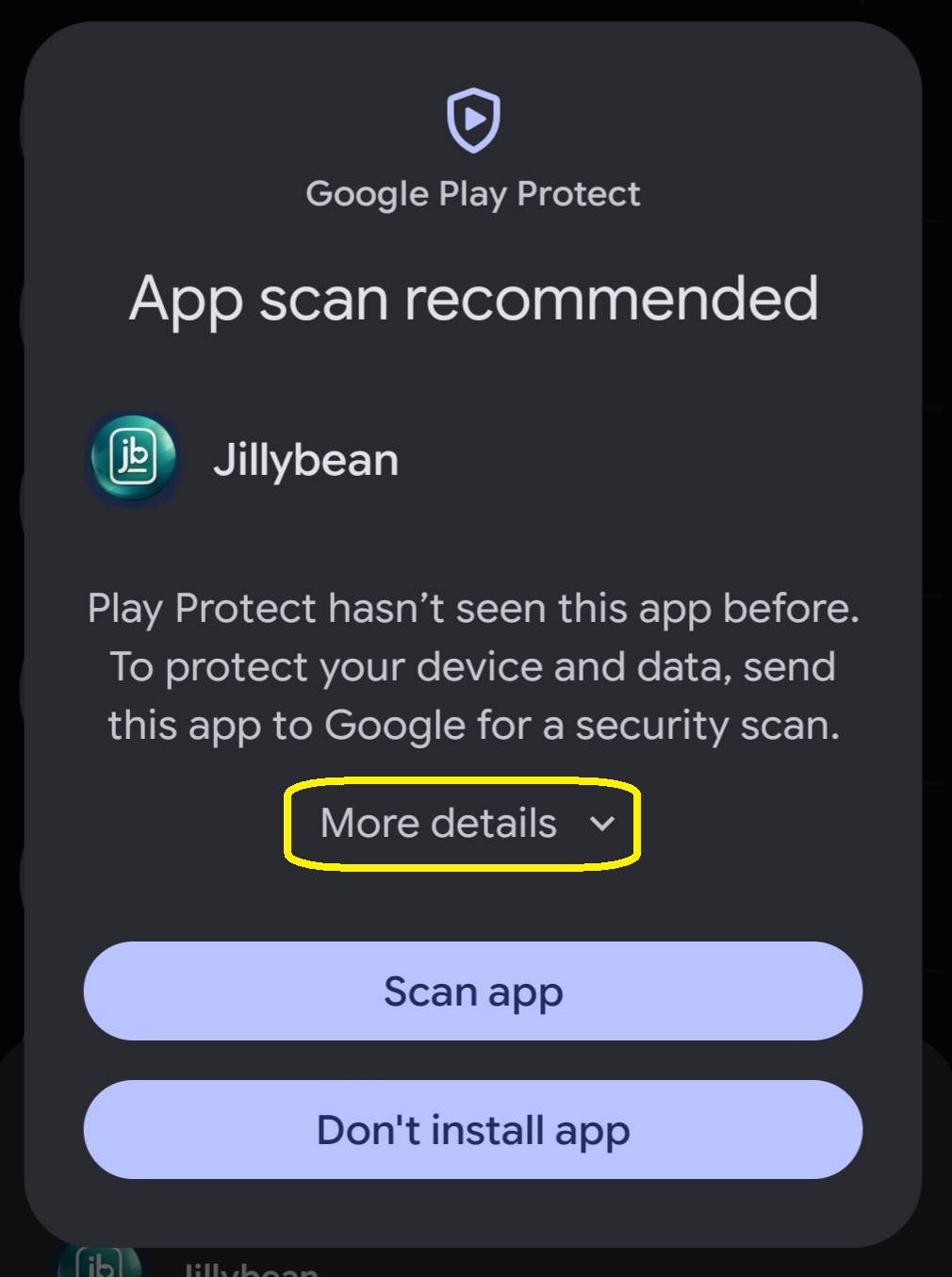
Because Jillybean is not in Google Play yet, Play Protect may recommend scanning the app. Tap More details.
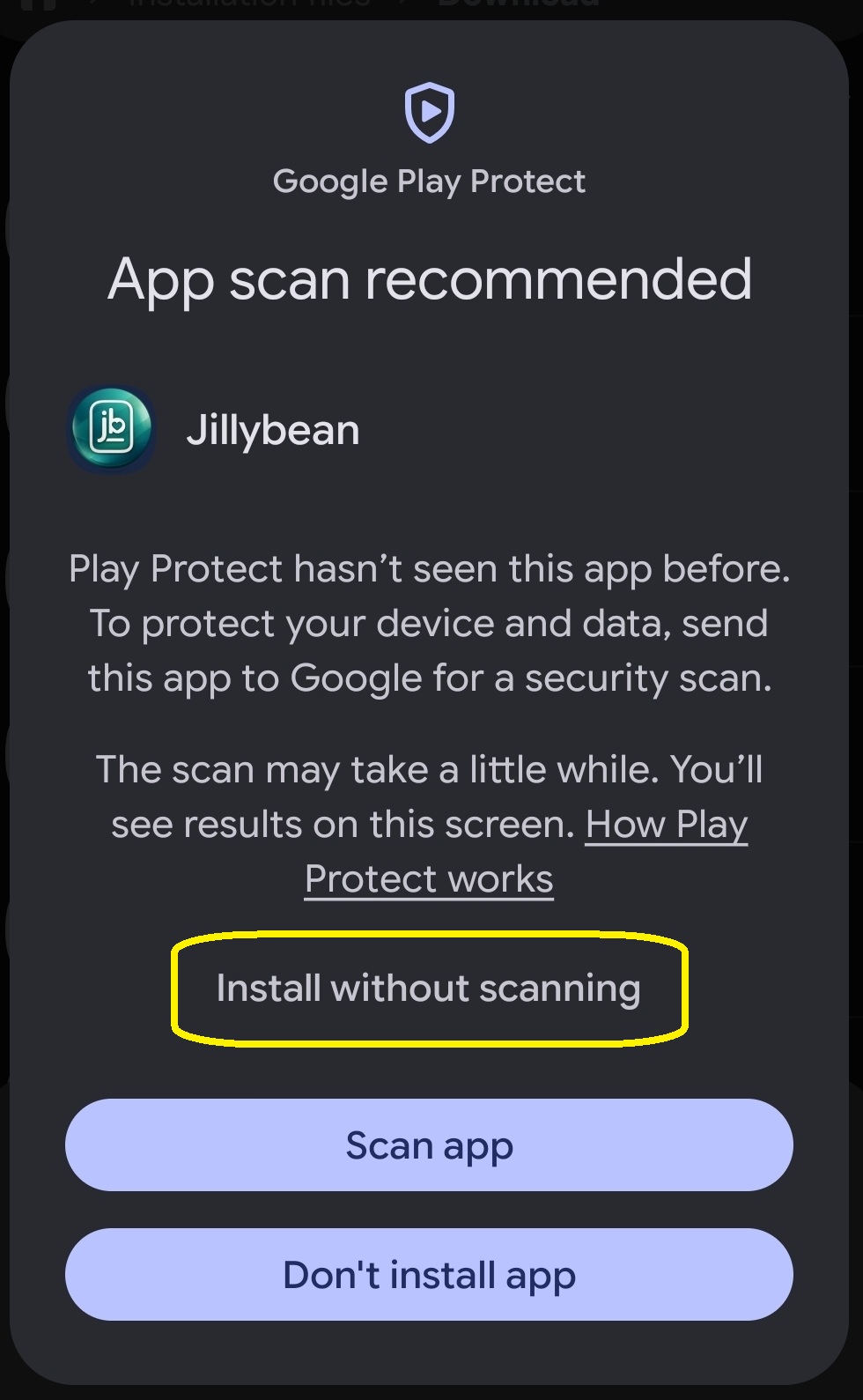
After the extra options open, tap Install without scanning. Your phone may then ask for your fingerprint, face unlock, PIN, or password to approve the install.
Once the install finishes, open Jillybean and sign in or create your test account.
If you see this screen, tap the circled area in each screenshot.
If the link does not work, email support and we will send the current build.
The Apple app is coming soon. We will share iPhone testing steps when the iOS build is ready.